Web Crawling vs Web Scraping: What’s the Difference?
Crawlers map the web. Scrapers pull data from it. Web crawling vs web scraping explained simply, plus how to choose the right approach for your next data job.

Gunnar
Last updated -
Tutorials

Imagine exploring the world’s largest library. A web crawler is the assistant who walks every aisle and logs book titles so you know what exists. By contrast, a web scraper is the researcher you send directly to a specific book or page to copy, say, a table of stock prices.
Simply put, crawling discovers the pages, while scraping extracts specific facts inside them.
Say you want to track an ecommerce competitor, for instance. Your crawler follows links on their site to discover new product pages as they hit the digital shelves. Your scraper, on the other hand, extracts relevant product names and prices to help you compete effectively.
Though they’re separate steps, most modern projects run them hand-in-hand to build data pipelines that deliver sharp insights. Here’s how each process works, what sets them apart, and which approach best suits your data project.
What Is Web Crawling?
At its core, a web crawler is an automated discovery engine. People often describe crawling as “finding pages,” but that shorthand doesn’t fully reflect the mechanics behind the operation.
A crawler runs on a continuous, methodical discovery loop designed to map out the blueprint of a website. The process starts with a list of known starting points called seed URLs.
Here’s how the loop unfolds in practice:
Fetch: The crawler requests the HTML content of a seed URL.
Parse: It then scans the raw HTML code to extract discoverable hyperlinks (<a href=”...”>) embedded on that page. Some URLs require JavaScript rendering or are listed in sitemaps.
Filter and Deduplicate: The crawler compares the newly discovered links against its history log. If a URL has already been visited, it gets tossed out so the bot doesn’t end up trapped in an infinite loop.
Queue: Unique, unvisited URLs are added to a master waiting list (often called the URL frontier) where they wait their turn to be fetched.
Rules tightly govern this entire journey. You can program a crawler to explore an entire domain or restrict its scope to a specific directory.
If you’re mapping an online store, for example, your crawler doesn’t have to inspect the store’s privacy policy or career page. You can configure it to ignore those paths and strictly follow category menus or pagination links to discover active product listings only.
Search engines run some of the best-known web crawlers to build massive indices of the web. For example, Google uses its crawler, Googlebot, to decide which sites to visit, how often to return, and how many pages to fetch from each site, among other tasks.
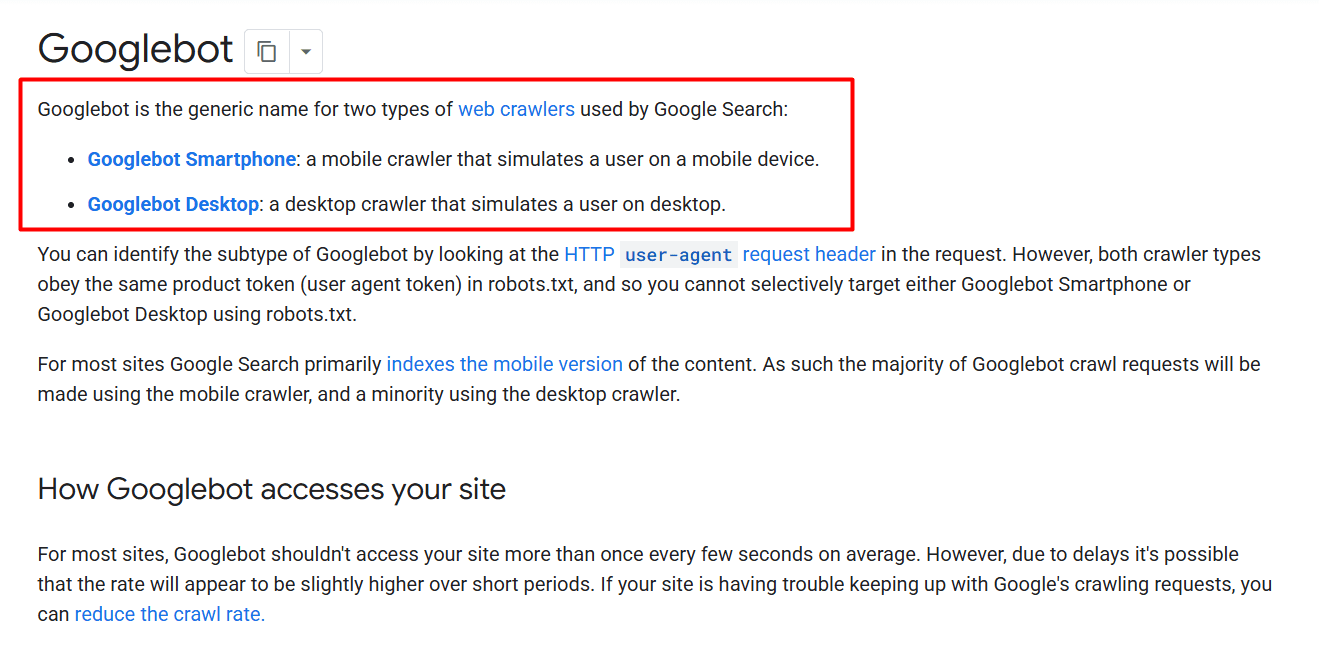
Source: Google Search Documentation
Commercial SEO platforms like Ahrefs run similar bots to map out link networks and audit site health. For example, AhrefsBot reportedly visits over 8 billion web pages daily.
It’s worth noting that crawling differs from indexing. Crawling simply locates and fetches the pages. The data you choose to parse, evaluate, and save to your database is processed in a separate downstream pipeline. On that note, let’s get into web scraping.
What Is Web Scraping?
If web crawling is the exploratory phase that maps out where pages live, web scraping is the surgical operation that extracts specific facts from inside those pages.
A web scraper takes a clean list of target URLs (either provided by a crawler or manually specified) and downloads their content to harvest precise data points. In practice, scrapers read the underlying code and identify structural patterns, like a price container or an author byline, before pulling out the text within them.
So instead of saving a file packed with bulky design layout, the scraper isolates your target values and organizes them into a clean, structured spreadsheet or database record, ready for analysis.
Say your target webpage holds this HTML code, for example:
Your web scraper delivers the following json:
Keep in mind that modern websites often load content dynamically. JavaScript may load prices after the initial page arrives, so your scraper may need a browser to display that information before extraction.
Finally, check what comes back. If a website changes its design or a product goes out of stock, your scraper needs strict rules so missing values don’t break or corrupt your analytics. For instance, a missing price should be logged explicitly as a null value, not turned into a zero, which would throw off your market price averages.
Web Crawling vs. Web Scraping at a Glance
While crawling and scraping often run concurrently within the same data pipeline, they solve different problems and fail for entirely different reasons. The table below briefly examines how they compare side by side.
| Dimension | Web Crawling | Web Scraping |
|---|---|---|
| Main Purpose | Discover URLs and map site hierarchies. | Extract specific data points from page content. |
| Starting Point | Seed URLs, domain roots, or XML sitemaps. | Target page URLs, often generated by a crawler. |
| Primary Instructions | Which links to follow, revisit, or skip. | Which fields to extract and how to interpret them. |
| Typical Output | Discovered URL queues, link graphs, and page inventories. | Structured records (spreadsheets, JSON, CSV files, or database rows). |
| Scope | Targets websites, broad web categories, or the open web. | Targets specific values on designated pages. |
| Familiar Examples | Googlebot, SEO audit tools. | Price trackers, listing aggregators. |
| Where It Breaks | Spider traps, infinite loops, and exhausted crawl budgets. | Changed layouts, missing values, JavaScript that never renders, IP bans. |
Swipe horizontally to view the full comparison.
It’s worth noting that these processes are separate jobs, but most modern tools often handle both. Access problems also affect both processes. A blocked request can prevent a crawler from discovering links just as easily as it can stop a scraper from reading prices or reviews.
How Crawling and Scraping Form a Pipeline
You never have to choose between a crawler and a scraper like picking teams. They’re sequential partners in a modern data pipeline. Treating them as competing alternatives is like asking whether a car needs wheels or an engine more.
When you run a large-scale market intelligence operation, data collection usually splits into two distinct operational phases:
Stage 1 (The Discovery Crawl): Your crawler starts from designated seed URLs to traverse site directories, following internal links until it logs, say, 10,000 active product URLs.
Stage 2 (The Extraction Scrape): Your scraper takes that queue of 10,000 URLs and hits them directly to pull precise product titles, live prices, user reviews, and inventory counts into a structured database.
A common mistake is coupling crawling and scraping into a single, rigid script that recrawls an entire website category every time it needs to check a price. Unnecessary recrawling creates overhead, increases traffic to the target website, and may trigger rate limits.
In a mature data pipeline, discovery and extraction operate on different schedules: Run your crawler once a week or once a day to catch newly launched products or structural changes on the target site.
Then, feed your database of known product URLs straight to your scraper to check prices, say, every hour without wasting resources on category pages.
Powering Recurring Data Collection Pipelines with HypeProxies
Trustpilot rating: 4.8/5 ⭐
Once you map out your crawling and scraping workflows, execution comes down to network reliability. Modern websites monitor traffic patterns closely, often blocking high-frequency requests coming from cloud server data centers.
To run recurring data pipelines smoothly without getting blocked, your request traffic needs to originate from reliable, clean residential identities.
This is where HypeProxies come in. Rather than renting shared, metered proxy pools that charge per gigabyte, HypeProxies gives you dedicated static ISP proxies. These are hosted directly on stable, proprietary servers in Ashburn, Virginia and Dallas, Texas.
Why Data Teams Trust HypeProxies
Predictable Per-IP Pricing: HypeProxies uses a flat monthly and quarterly billing model with zero bandwidth limits (subject to HypeProxies’ Acceptable Use Policy). You can crawl tens of thousands of pages without worrying about an unexpected overage invoice.
Real ISP Identities: Our IPs are assigned by major US internet providers, so sites see ISP traffic rather than datacenter ranges, which helps on sites with strict anti-bot checks.
Blazing Fast Speeds: Built on a 10 Gbps network, our infrastructure delivers lightning-fast response times. This keeps your scraping queues completely clear, even when you’re making thousands of concurrent requests.
Plug-and-Play Flexibility: With full native support for HTTP/HTTPS and SOCKS5 authentication, you can instantly connect any custom Python bot, headless browser, or third-party scraping tool.
Whether you run daily price monitoring or weekly discovery crawls, using dedicated static residential IPs ensures your requests look like genuine consumer traffic. Explore HypeProxies ISP proxies and request a free trial to test your workload before scaling.
Key Takeaways
Building high-throughput data pipelines boils down to knowing which tool handles which step. Crawling decides where to go, while scraping clarifies what to retrieve.
Map your target website’s structure first with a focused crawler, then extract relevant data fields with a clean scraper, and route your connection through dedicated ISP proxies to keep your operations running smoothly without interruption.
Check out our ISP proxies and request a free trial to test your workload today.
Share on
No credit card required. Request your free trial today.
Stay in the loop
Subscribe to our newsletter for the latest updates, product news, and more.
No spam. Unsubscribe at anytime.


